How to Add Honeyfund to Your Wedding Website
Creating a honeymoon registry with Honeyfund is easy—but what about making sure your guests can find it? Whether you're using Zola, The Knot, Joy, or another wedding website builder, adding your Honeyfund link is simple and makes a huge difference in gift visibility.
Here's your complete guide to connecting Honeyfund to your wedding website, sharing your registry across platforms, and ensuring your guests can give with ease.
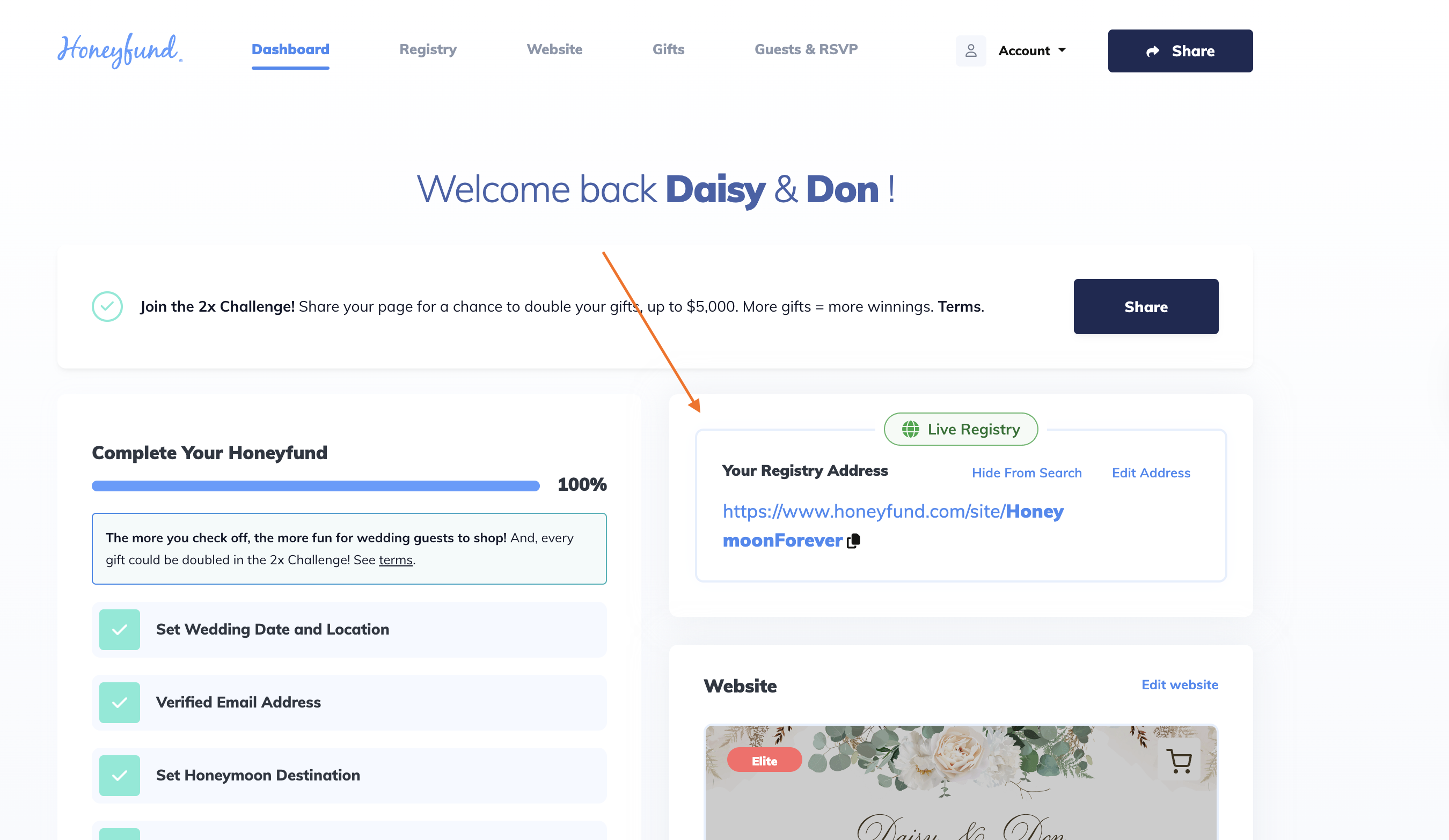
1. Copy Your Honeyfund Link
After you set up your free Honeyfund registry, you'll be given a custom URL that looks like:
https://www.honeyfund.com/site/jordan-and-taylor
You can always find this link in your Honeyfund dashboard under the Share section.
2. Log Into Your Wedding Website Platform
Whichever platform you're using—Zola, The Knot, Joy—log into your account and navigate to your registry section or settings panel.
Here's how to add Honeyfund on the most popular platforms:
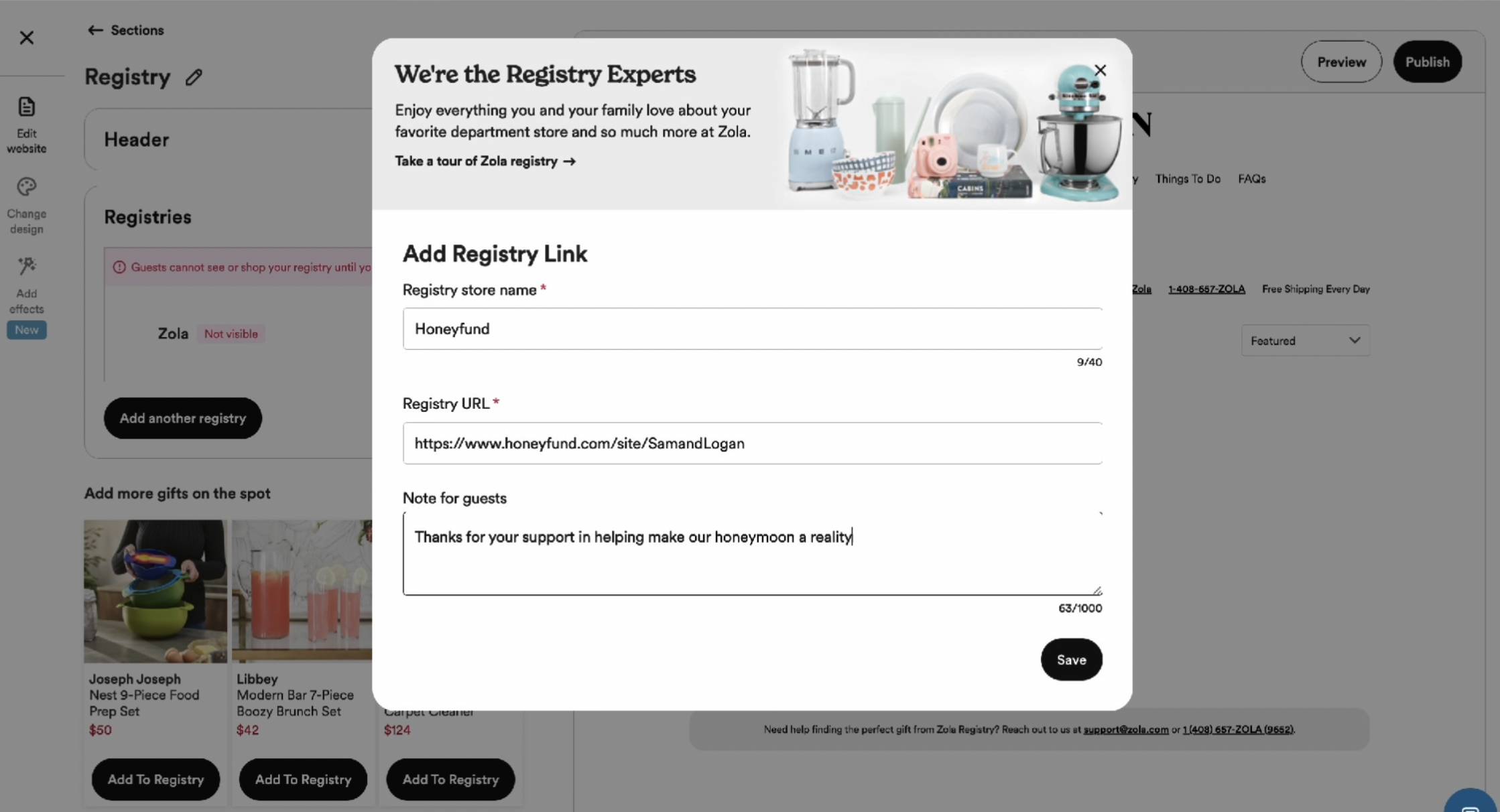
How to Add Honeyfund to Zola
- Go to your Zola account
- Click Registries > Add a Registry
- Choose Add a Non-Zola Registry
- Paste your Honeyfund URL and give it a name like "Our Honeymoon Fund"
- Save and publish
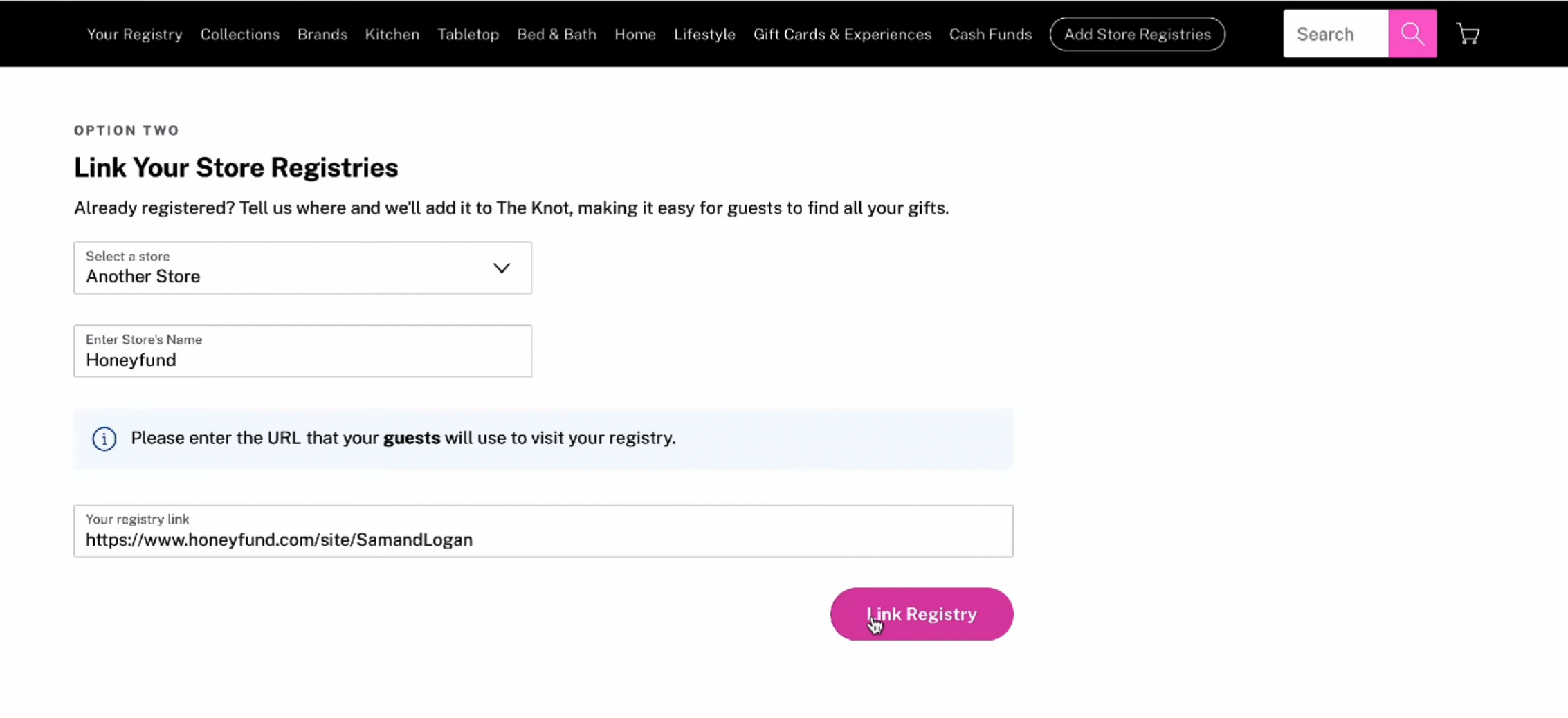
How to Add Honeyfund to The Knot
- Go to your wedding dashboard on The Knot
- Navigate to Registry
- Select Add an External Registry
- Paste your Honeyfund link
- Click Save
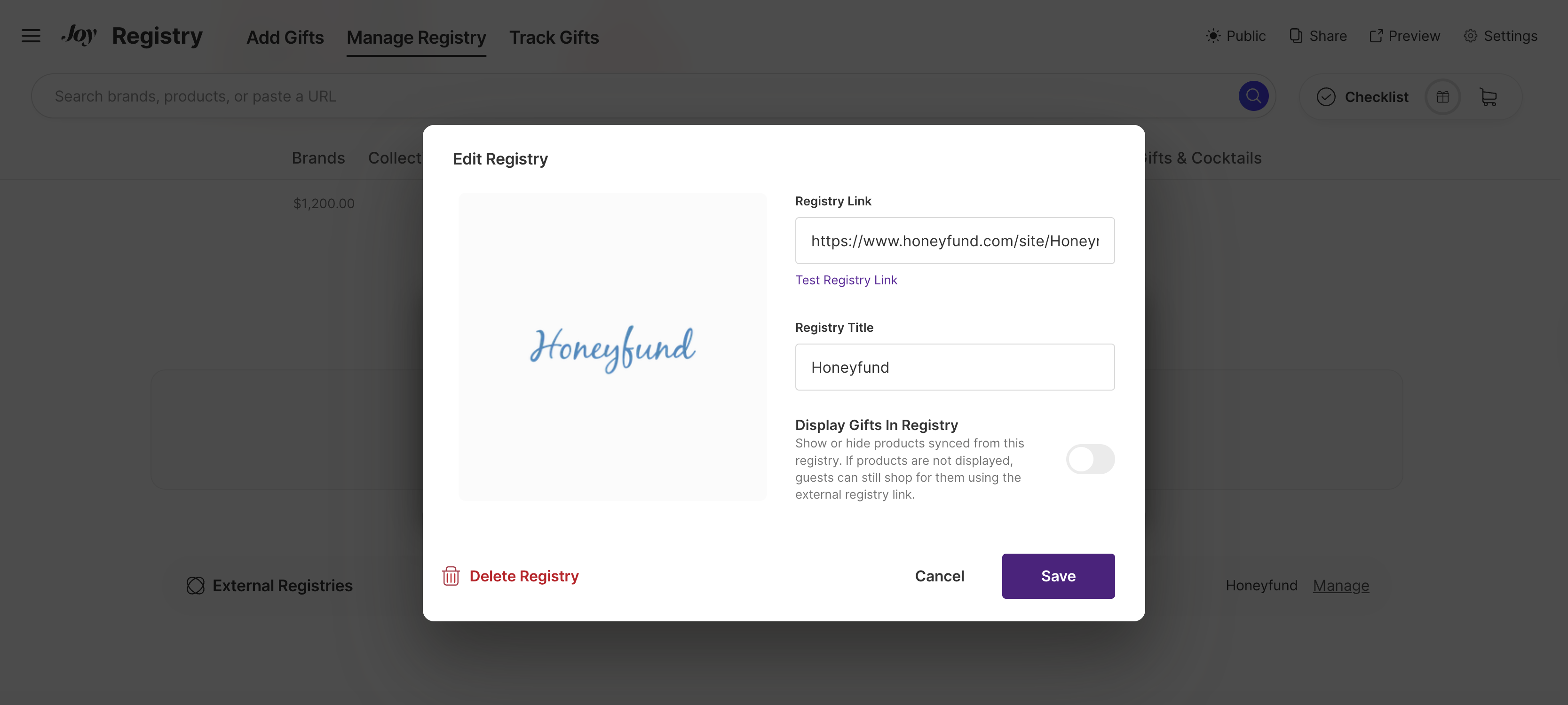
How to Add Honeyfund to Joy
- Open your Joy account and visit the wedding dashboard
- Click Registry in the side menu
- Scroll to Add Another Registry
- Paste your Honeyfund URL and name it
- Click Done
Share with QR Codes and E-mail Too
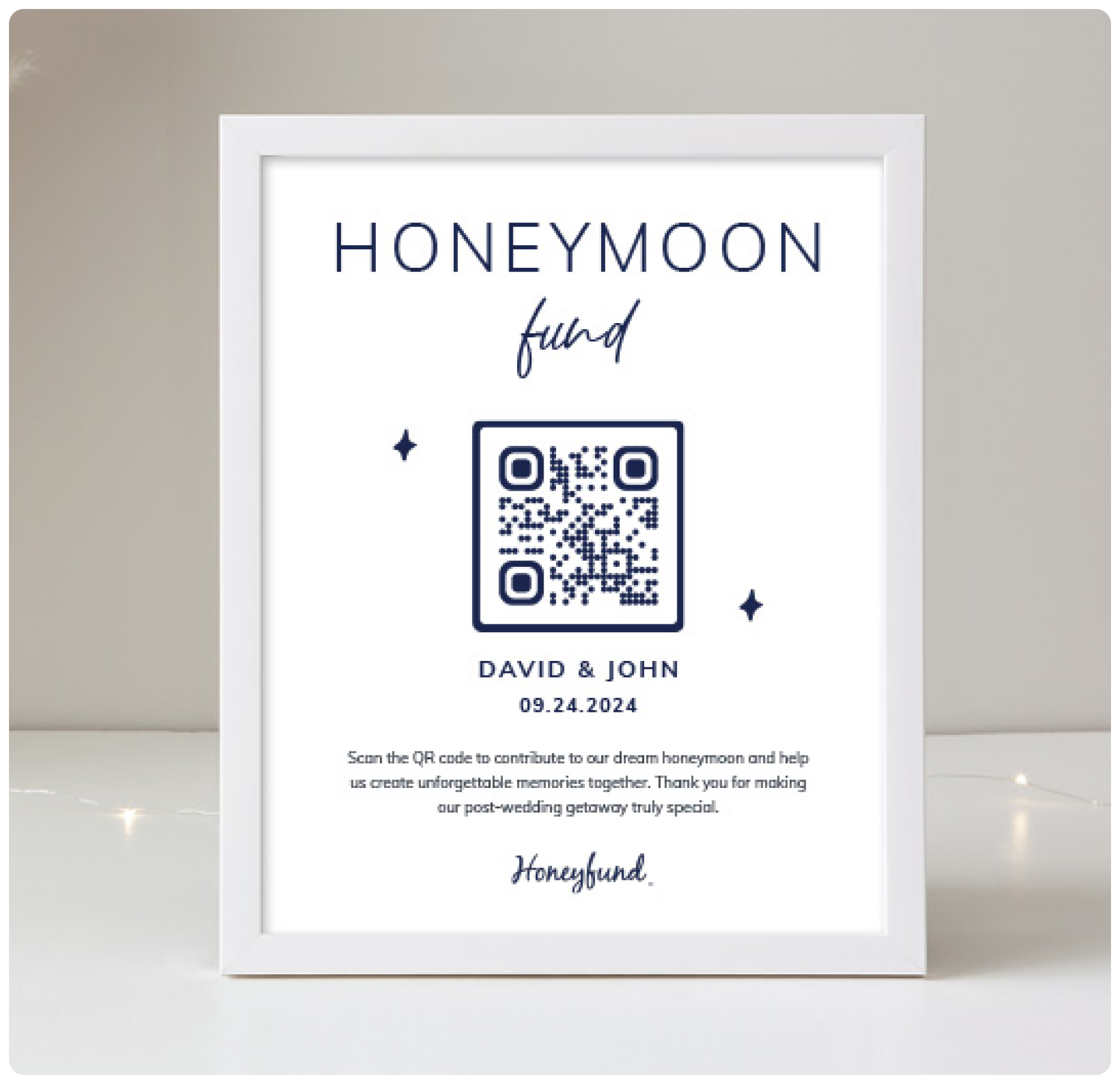
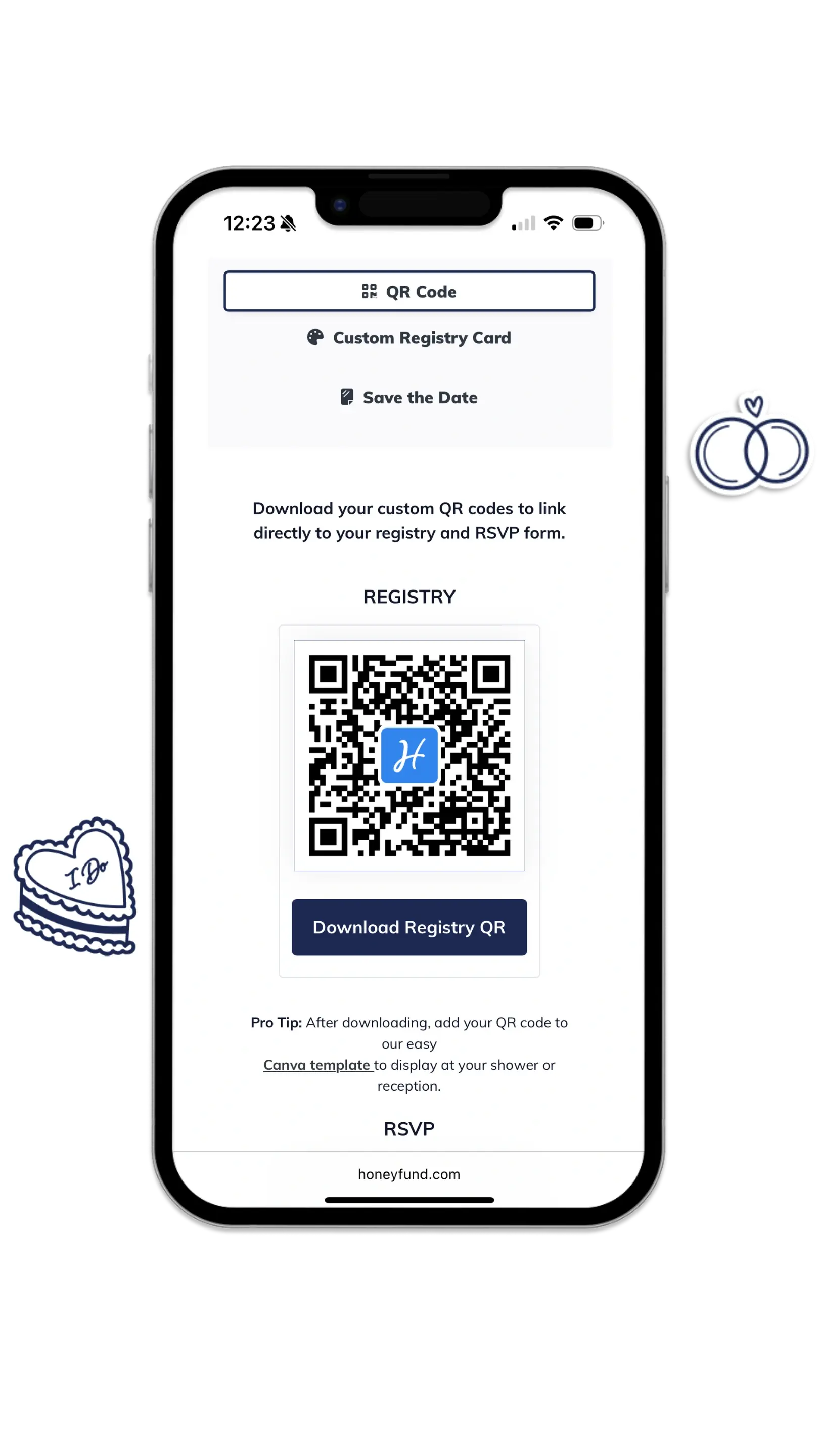
Honeyfund also gives you a free QR code that links directly to your registry. Perfect for:
-
Save-the-dates
-
Wedding programs
-
Table signage
-
Bridal shower invites
You can download your QR code from the “Share” tab on Honeyfund and use it anywhere you’d place a registry mention.
Add to Your Wedding Invitations or Website Copy
If your platform doesn't allow for direct links, just include your custom Honeyfund URL in the text of your wedding site or printed materials. Keep it clear and guest-friendly:
"We've set up a honeymoon fund on Honeyfund, where you can help us make memories! Find it here: honeyfund.com/site/jordan-and-taylor"
Or:
"Instead of traditional gifts, we'd love support for our honeymoon. Visit our registry at Honeyfund.com."
Best Practices for Sharing Your Honeyfund
-
Put your Honeyfund link on the homepage of your registry page of your wedding website
-
Use clear anchor text like "Visit Our Honeymoon Fund"
-
Include it in RSVP confirmation messages or e-mails
-
Use QR codes at the event for easy mobile access
-
Consider pinning the registry info in a wedding Facebook group or shared doc
Why Use Honeyfund on Another Wedding Site?
Even if you're using another builder, Honeyfund gives you features that most don't:
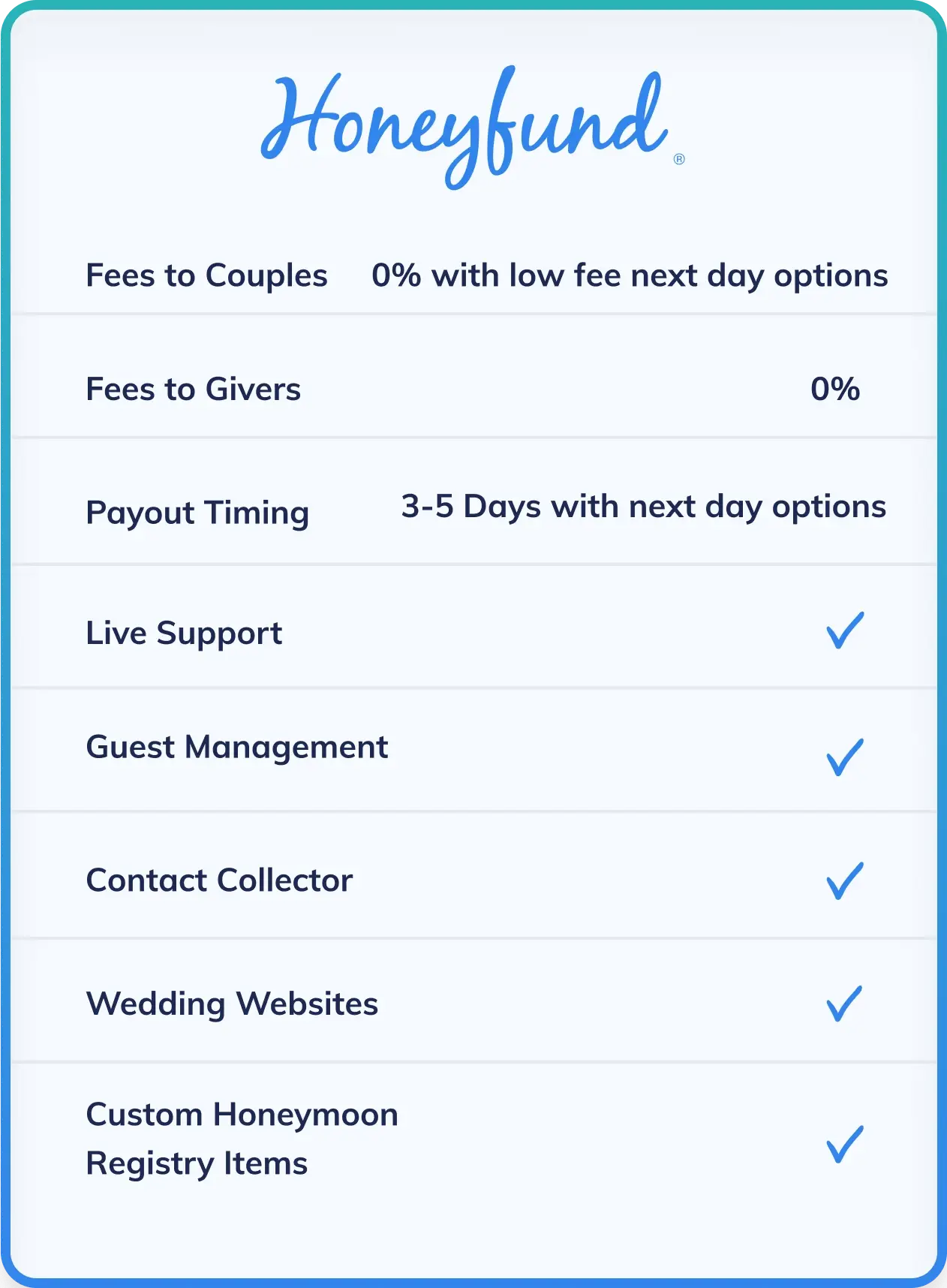
- Fee-free redemption options
- Flexible payout methods
- Fully customizable honeymoon funds
- Trusted by over 1.3 million couples
Other platforms often come with a 2.5-3% cash gift fee or limit how you use your funds. Honeyfund puts you in control.
FAQs: Adding Honeyfund to Other Platforms
Q: Can I use Honeyfund if I already have a regisry on Zola or The Knot?
A: Yes! Just link your Honeyfund URL like you would any other external registry.
Q: Will Honeyfund automatically sync with my wedding website?
A: No. You'll need to manually paste the link into your website or registry manager.
Q: Can I use Honeyfund as my only Registry?
A: Absolutely. Many couples use Honeyfund exclusively for travel, experiences, or even home savings.
Q: What if my guests can't find the link?
A: Make sure it's placed clearly on your site's registry page, and also consider using a QR code on printed materials.
Ready to Share Your Registry?
Adding Honeyfund to your wedding website gives your guests an easy, secure, and meaningful way to give toward your next adventure.